119
USER RESEARCH | USER TESTING | MOBILE/WEB
Proof of concept for a mobile app aiding users during non-life-threatening medical events.

ROLE
UX Designer
TEAM
Product Owner
Business Analyst
Architect
Developer
DELIVERABLES
Research
Competitive Analysis
User task flow
User flows
Lo fidelity designs
Prototype
Styleguides
TIMELINE
2 months
THE PROBLEM
People with chronic disability lack the ability to prevent unnecessary emergency calls during public medical events.

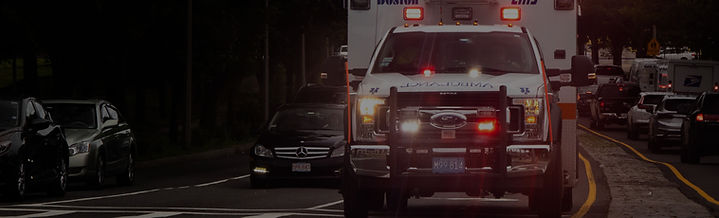
Studies in the United States find that at least 30% of all emergency department visits are not urgent (ref). A client hired our organization as part of their mission to create an “emergency response platform for the chronic illness community”. With a patent, some preliminary technical requirements and the decision to release a digital product we joined them in asking the question,
Meme from chronic illness facebook group.
How can we empower the disability community to communicate health needs publicly during routine events, preventing unnecessary emergency visits?
SOLUTION
Alert bystanders and empower them with specific, relevant information to make appropriate decisions during medical events.
-
Web application assigns emergency contacts to events, links with mobile app for one-touch SMS alerts.
-
Mobile app triggers voice recording for public alerts and directions.
-
Dynamic decision tree in the app responds to user's medical event symptoms.
-
Health team accesses and collaborates on user's medical events through the web app.

Project Goals
-
Understand the problem space, users, and competitive landscape.
-
Create user testing plan, review results and provide recommendations.
-
Design lo-fidelity prototype for future development and testing.
SECONDARY RESEARCH
Exploring Public Medical Event Responses: Debunking the Bystander Effect Myth.
I explored the issue by reviewing academic journals, research reports on public emergencies, and government resources related to emergency preparedness and community response.
Top insights to validate our solution:

-
Prioritized "civilian first responders" in UX writing for better communication (ref)
-
Human voices found more effective than bells or sirens for alerts (ref)
-
Information provision reduces stress, increases citizen response efficacy (ref), with written details being most memorable after 2 and 4 minutes (ref)
-
Inclusion of legal information prevents concern for legal liability and causing harm (ref)
Image credit : Unsplash
SECONDARY RESEARCH
Overcoming Budget Constraints: Leveraging Social Media Communities for User Empathy.
Due to time and budget constraints I was unable to conduct user interviews, so I educated myself about the experiences of the chronic disability community by visiting social media platforms, namely an emergency responder facebook group and a disability subreddit, and searched relevant keywords (“bystander”, “stranger”, “public”, + “emergency”, “event”, etc.).
“I collapsed in pain and was confused why no one was trying to help me. Apparently they thought I was exaggerating and instead just looked at me...so embarrassing”
“I panic during high pain days when I have to go out anywhere.”
“if you need medical assistance, you need to arrange for that from a medical or social support source. The only thing I would expect a roomate to do in an emergency is call an ambulance.”
COMPETITIVE ANALYSIS
Existing tools defaulted to contacting emergency services and lacked customization and details surrounding medical conditions.
A competitive analysis of 9 different existing emergency support mobile applications revealed the following product shortcomings:

Competitive analysis table created in Figjam.
-
Supported single medical condition
-
Relied on emergency services
-
Depended on availability of personal contacts
-
No dynamic customization of medical event

USER TESTING
Testing the public’s response with a proof of concept to determine product design.
I mapped out the user task flows to conceptualize the various paths a user could take in responding to our prototype. I then prepared a testing plan, usability template, and other materials for our team to carryout testing.

Pictured left: user flow created in Figjam, Pictured right: screenshot of flutter mobile app proof of concept used in testing.

User Testing Objectives & Documentation
-
Create user task flow.
-
Create Screener survey to find testing participants.
-
Create testing plan and tasks.
4. Create script and notes for tester.
5. Provide post test questionnaire to measure usability.
6. Synthesize findings and present internally.

System Usability Score (SUS) template from usability.gov.
The testing results revealed the most successful methods to illicit a public response, the strengths and weaknesses of each approach and the primary factors preventing bystanders from intervening. Further details regarding the user testing findings have been withheld due to confidentiality.
USER FLOWS
To optimize accessibility, we decided to primarily use the web application for setup, ensuring easy mobile access during medical events.
I created a visual representation with the user flow diagrams to understand the which tasks would be completed on which devices.

User flow diagram created with Figjam.
DESIGN
Final mobile screen designs - research informed interfaces for public facing medical events.
The following wireflows showcase the lo fidelity screen designs for the two mobile user flows outlined in the previous section’s user flow diagram.

Mobile screens pictured are early iterations of the design due to confidentiality.
Lo Fidelity Styleguides
The client was currently in the process of receiving pro bono support from a design agency for branding for their product, all designs were therefore made in lo fidelity. Minimalist style guides were provided for development and ease of conversion once final branding guidelines were to be delivered at a later date.


Simple specifications for color, typography, and interactive states were provided and reviewed with development to ensure design consistency.
CONCLUSION
Valuable experience gained + Next Steps
-
Leveraged broad UX expertise throughout the project lifecycle: discovery, research, ideation, design, and testing.
-
Designed within the constraints of Google's Flutter for mobile testing, and learned to adapt to the technical requirements and constraints of Auth0 for login and sign-up screens.
-
Future steps involve designing and testing the dynamic decision tree concept, necessitating extensive dynamic interaction design.